Dear Engineering Students,
Happy New Year!
I'm away from class this week. Have no fear! We have some great content lined up for you to continue expanding your horizons as Creative Problem Solvers. The goal of sharing this material, as is the over-arching goal of the CHS engineering experience, is to broaden your view of the world and help you identify something you'd be passionate about pursuing beyond high school.
1) Please support our substitute instructor in their efforts to manage your experience. Being a good host is a positive life skill worth practicing.
2) We have some great video content to experience this week. During your period, please set up a class laptop with the projector to watch the videos specified for your class. Please feel free to use the powered speakers if that makes for a better viewing experience. If there should be a problem with the projector, students may watch the videos individually on their own machine. Otherwise, I expect that students are paying attention to the class video and not their own computer.
2nd and 4th Periods: Principles of Engineering
A number of you have seen the "Making Stuff" videos from last year so we're going to save those for a rainy day and move on to some other topics that tie in with our curriculum.
Block Day:
Engineering Ground Zero - We're going to engineer some structural designs in the coming weeks so this video sets a grand context for that work.
Power Surge - A further exploration of the topics of Energy and Energy Sources.
Thursday:
The Car of the Future - What is the best solution to our automobile crisis?
Friday:
The Smartest Machine on Earth - The core of the 2nd Semester experience is our exploration of programming and robotics. This video showcases the cutting edge of "intelligence" created through programming.
Each video post may have some questions associated with it. Please answer these questions and be prepared to discuss them next week. These are worth points.
Prioritize to get through The Smartest Machine on Earth and Engineering Ground Zero since these directly relate to forthcoming work. Cut either of the other two short if you need to.
3rd Period: Engineering Projects
You may choose to continue work on your current Engineering Project. That said, please consider watching the videos listed above for the Principles of Engineering course(the AI episode is excellent. Many of you will spend quite a few more years learning and this program makes a powerful case for experiential learning (you've heard me mention "empirical scepticism" more than a few times, correct?).
Bonus points if you can orchestrate watching the videos in class (either exclusively or while you work).
As far as your projects go, we need to start wrapping these up for the Semester so that we can get lined up to work on new material in the new semester. Our first efforts will involve using the Arduino microprocessors. Please get a hold of an Arduino if that's a possibility for you.
5th and 6th Periods: Engineering Design
Get ready for the awesome "Making Stuff" series. There are four episodes, each approximately an hour long. You will watch them in series, starting with two on block day, one on Thursday and one on Friday.
As you watch the videos, I want you to develop the following for each one:
- Create an essential question related to the video.
- Provide an answer to your essential question.
- Justify why your essential question is awesome in the context of the video (explain how your question cuts to the heart of the theme and is better than other possibilities you considered).
These questions are a chance for you to directly contribute to the development of the CHS Engineering program. I will use great essential questions to support these videos in next year's courses.
An Essential Question is an inquiry, so making one is like the game show Jeopardy where your answer is in the form of a question. (Make sure your questions are "open-ended" ("How?", "Why?", etc.) rather than simple "yes or no" or "number trivia" ("How Many"))
We will review your work next week. These are worth points.
Click here to watch the "Making Stuff" episodes!
Enjoy! Looking forward to seeing you all on the 9th :)
Mr. Olson

Showing posts with label 3rd Period Assignment. Show all posts
Showing posts with label 3rd Period Assignment. Show all posts
Monday, January 2, 2012

Sunday, September 4, 2011
Robotic Assembly Line Class Challenge!

The Engineering Projects class will construct a modular assembly line to simulate the marking and preparation for shipment of a product. This challenge is team based and each team must collaborate both amongst themselves and with the other teams in the class to achieve success. Formal and informal leadership opportunities will present themselves over the course of this experience.

Snake-eyes Dice Inc. is looking to improve their manufacturing process. Lean Six-Sigma consultants have identified their dice marking and shipment process as being a major contributor to inefficiency. Snake-eyes Dice has hired our class to design, prototype and test an assembly line based solution for them.
Challenge:
The class will simulate the marking of each side of a dice using an assembly line process. Once the dice are marked they'll be arranged for shipment in groups of 6.
Criteria:
Each section of the assembly line will perform one of the following roles and be completed by a seperate team in the class:
-Dispense simulated "dice" individually from a group for marking
-Mark the "1" side
-Mark the "2" side
-Mark the "3" side
-Mark the "4" side
-Mark the "5" side
-Mark the "6" side
-Arrange simulated dice for shipment as a group of 6
"Markings" may be approximations based on our material constraints.
All eight of the assembly line sections must function together to complete the job.
Constraints:
-All processes will be automated and controlled by software.
-Fischertechnik robotics kit parts will be used to implement the hardware solution.
-Ask Mr. Olson for approval of any marking solutions proposed.
-Programming will be done in the RoboPro visual programing environment.
-Each step of the process must occur on its own section of the assembly line (this is a team event!).
-Each "Dice" will be simulated by a 2x2x2 puzzle cube piece (1.5" x 1.5" x 1.5").
-Once the class challenge has been completed, two regular periods or one block day will be allowed to clean/organize the room and complete your portfolio entry.
Grading:
We will use an open ended achievement based grading system.
A class average of student achievement scores will be determined. For the Projects course, the total score in Edline for this challenge will be set so that the average score earns an A- (You're returning students and I'm challenging you with above average material hence a higher grade for average work). For example, if the average number of achievements earned is 9, then the challenge will be listed out of 10 in Edline. Grades will be capped at 110% of the total score (exceptional achievement will garner extra credit but not to the point of unbalancing the remainder of the Semester :) )
Achievements:
You must display evidence in your online portfolio of having completed the achievement in order to score them. The total number of Achievements that you earn is your score for this challenge.
Class Achievements:
"Implementation" - Implement an assembly line system that meets the criteria and constraints of the challenge.
"Fast!" - The system is able to complete a cycle of 6 dice in less than 1:30.
"Faster!!" - The system is able to complete a cycle of 6 dice in less than 1:00.
"Gosh Darn Fast!!!" - The system is able to complete a cycle of 6 dice in less than 0:45.
"The Clan with the Plan" - Develop a master schedule for completion of the project.
"Ninja Elite" - Meet the master schedule to the day.
"Good Enough for Government Business" - Meet the master schedule to the day or by +/- one day.
"No Half Stepping" - Complete the design and implementation phase of the challenge in less than a week.
"Don't Dilly Dally" - Complete the design and implementation phase in less than two weeks.
"Stewardship" - Return all Fischertechnik to appropriate storage upon completion of challenge. Leave the room cleaner than before the start of the game.
Team Achievements:
"Flash of Inspiration" - Brainstorm a solution for your section of the assembly line with a sketch.
"If you Build It..." - Implement a solution for your section of the assembly line.
"Proof is in the Pudding" - Implement a solution for your section of the assembly line that successfully operates with adjacent sections.
"Round and Round We Go" - Iterate on your initial implementation. Explain the challenge you discovered off the first effort and what you did to overcome it.
"Round and Round We Go... Again" - Iterate again on your implementation. Explain the next challenge you discovered with your design and what you did to solve it.
"Videography" - Capture video of the project in action.
"
"Tool Time" - Document an aspect of your solution using our Inventor CAD software. The rendering must include atleast three parts.
"Dimension It" - Label/Dimension your Inventor rendering.
"Lab Rat" - Collect data related to your implementation. Explain what you collected and how you used it.
"Show Me" - Visualize your data in a useful format. Explain your choice of presentation.
"Leave no Trace" - Return your fischertechnik to their appropriate storage locations/clean your work space.
Individual Achievements:
"Share It" - Provide feedback (Sustain, Change, Question, Idea) for another team. Who did you provide feedback to and what was it?
"Keep the Customer in Mind" - Your blog post is formated in a readable, professional manner. Writing is short and concise. Spacing is used to break up thoughts/concepts. Lists and/or bullet points are used as appropriate. No "monolithic" paragraphs.
"Nice One!" - Identify a student from outside of your team that was most helpful to your efforts. Be specific about how they were helpful.
"Helping Hand" - List a student that you helped outside of your team. How were you helpful to them?
"Meta Gamer" - Based on our grading system for this challenge, explain the benefit of earning the class achievements, even though everyone scores them when earned (use math to justify your case).
"And the Winners Are..." - Recognize class participation by selecting one person other than yourself for each of our five activity awards (Initiative, Sportsmanship, Collaboration, Humor, ...what's the fifth one we have up on the board?!)
Level Up!!!:
Capture your experience by posting to your online portfolio. You will have two class sessions (or one block day) to complete these tasks once we've completed our class assembly line design.
Organize your post as follows:
-Title
-Image/Video of class solution.
-Breif overview of challenge.
-Image/Video of your team's solution.
-Breif overivew of how you approached the design of your system.
-Total number of achievements earned.
-Breakout of achievements earned by section (Class, Team, Individual) with appropriate proof displayed (picture/data/explanation/etc.).
Wednesday, June 1, 2011
Period 3 & 5 Final Challenge
Greetings Engineers,
Here is a final engineering design challenge to wrap the year up with a bang!
You have the next two hours to exercise your creative and technical skills on this problem.
Challenge: Many members of the CHS Senior class will be heading off to college in the fall. Once at school, bicycles will be the primary mode of transportation for most. Student housing is often cramped. How can students store their bike inside without impacting their and their roommates living space?

Design a Bicycle storage system that allows a student to keep their bike indoors without taking up major space in their living areas.
Utilize the design process we've learned this year to generate a solution to this problem.
Post the following to your online portfolio (15 points):
-Define the Problem (1pt)
-Brainstorm Solutions (2pts)
-Define Criteria and Constraints (2pts)
-Generate Sketches (2pts)
-Select an Approach: Use a Decision Matrix to justify your approach (2pts)
-Model your solution with CAD software: Post an Isometric view of your assembly and a multiview drawing. (3pts)
-Use the 4 Quadrant Feedback technique to assess your model (3pts)
Here is a final engineering design challenge to wrap the year up with a bang!
You have the next two hours to exercise your creative and technical skills on this problem.
Challenge: Many members of the CHS Senior class will be heading off to college in the fall. Once at school, bicycles will be the primary mode of transportation for most. Student housing is often cramped. How can students store their bike inside without impacting their and their roommates living space?

Design a Bicycle storage system that allows a student to keep their bike indoors without taking up major space in their living areas.
Utilize the design process we've learned this year to generate a solution to this problem.
Post the following to your online portfolio (15 points):
-Define the Problem (1pt)
-Brainstorm Solutions (2pts)
-Define Criteria and Constraints (2pts)
-Generate Sketches (2pts)
-Select an Approach: Use a Decision Matrix to justify your approach (2pts)
-Model your solution with CAD software: Post an Isometric view of your assembly and a multiview drawing. (3pts)
-Use the 4 Quadrant Feedback technique to assess your model (3pts)
Wednesday, May 18, 2011
Survey Time

Our CHS Engineering Courses are offered through the county's Regional Occupational Program (ROP). We've been given the task of completing a survey for them.
Click here to take the ROP survey
Thursday, May 5, 2011
Design Thinking
Essential Question
Design Thinking: A tool for life?

What is a Bootleg?
This Stanford D.School Bootcamp Bootleg is an "active" toolkit to support your design thinking practice.
This document is composed of 5 "Modes" and many "Methods". The Modes are general areas a designer opperates in within the design process. The Methods are specific techniques you may employ in support of the purpose of a Mode.
Complete the following tasks:
1) As a team, select one of the 5 design thinking "Modes" to educate the class on. Study up on the Mode. Prepare and present to the class so they understand the process involved with it. The goal is that the class understands how to operate within the mode.
2) Choose a "Method" that would support the Mode you selected. Include this Method as an example of how to operate within the Mode.
3) We've been using our 12 Step Iterative Design Process. How does the Design Thinking process presented in the Bootleg differ from our 12 step process? How is it similar?
Design Thinking: A tool for life?
What is a Bootleg?
This Stanford D.School Bootcamp Bootleg is an "active" toolkit to support your design thinking practice.
This document is composed of 5 "Modes" and many "Methods". The Modes are general areas a designer opperates in within the design process. The Methods are specific techniques you may employ in support of the purpose of a Mode.
Complete the following tasks:
1) As a team, select one of the 5 design thinking "Modes" to educate the class on. Study up on the Mode. Prepare and present to the class so they understand the process involved with it. The goal is that the class understands how to operate within the mode.
2) Choose a "Method" that would support the Mode you selected. Include this Method as an example of how to operate within the Mode.
3) We've been using our 12 Step Iterative Design Process. How does the Design Thinking process presented in the Bootleg differ from our 12 step process? How is it similar?
Thursday, April 28, 2011
The Deep Dive
***Update!: These three videos are more indepth than the single video previously posted. They will offer more insight on the questions below***
(Thanks Stan for helping me figure that out - extra credit awarded for your dillegence)
In this activity, you will watch a group of professionals work to solve a design problem in just five days.
Copy and paste the following questions into your blog and answer them based on what you learn from watching "The Deep Dive". Use different color text for your answers to distinguish them from the questions:
1. “From the buildings in which we live and work, to the cars we drive, or the knives and forks with which we eat, everything we use was designed to create some sort of marriage between _________________ and _________________.”
2. The folks at IDEO state that they are not experts in any given area. But, they do claim to be experts on the ____________________, which they apply to the innovation of consumer products.
3. After the team of designers is brought together, told the problem, and informed they have five days to “pull it off,” what phase of the design process do they immediately engage in?
4. Give two examples of what the team members did during this phase.
a.
b.
5. List five rules-of-thumb that IDEO employees follow when they share ideas during the brainstorming phase:
a.
b.
c.
d.
e.
6. Why should wild (and sometimes crazy) ideas be entertained during the brainstorming phase?
7. After the brainstorming phase was over, the team narrowed down the hundreds of ideas by _____________ for those ideas that were not only “cool” but also _________________ in a short period of time. What phase of the design process is this called?
8. IDEO believes that the ideas and efforts of a ______________ will always be more successful than the planning of a lone genius.
9. Once the ideas were narrowed down and divided into categories, the group was split into four smaller teams. What phase(s) of the design process was each of these groups responsible for?
10. The leaders at IDEO believe that ________________ behavior and a ______________ environment are two important reasons why their employees are able to think quickly and creatively to produce innovative results.
11. Sometimes, people come up with great solutions that work by trying their ideas first, and asking for _________________ later.
12. Design is often a process of going too far and having to take a few steps back. What phase of the design process would the critique of the four mock-ups come under?
13. Upon critique of the four teams’ models, it was obvious that none of the teams had developed an optimum solution. However, the people at IDEO believe that it is important to _____________ often in order to _____________ sooner.
14. What percentage of the entire week’s time did it take to fabricate the final prototype?
15. Instead of showering his design team with a tremendous amount of praise, what did the boss require his employees to do with their new design?
16. Of all the things that we are surrounded by every day, what has not been placed through the design process?
Conclusion
1. What did you find to be the most impressive part of the team’s effort?
2. What advantages are there to having a design team with members that have non-engineering backgrounds?
3. There was a point in the process where a self-appointed group of adults stepped up, stopped the ideas, and redirected the group to break up into teams. Why was this done?
4. At the end of the video, Dave Kelly states, “Look around. The only things that are not designed are the things we find in nature.” Can you think of anything that would contradict this statement?
Wednesday, April 6, 2011
Glider Challenge: Deliverables
Post the following to your online portfolio:
1) An image of your completed glider design.
2) Your Glider Challenge: Design Phase notes.
3) Your Glider Challenge: Test Phase notes.
4) Your Glider Challenge competition day results. How did your glider perform? What would you change if we competed again?
1) An image of your completed glider design.
2) Your Glider Challenge: Design Phase notes.
3) Your Glider Challenge: Test Phase notes.
4) Your Glider Challenge competition day results. How did your glider perform? What would you change if we competed again?
Monday, April 4, 2011
Glider Challenge: Test Your Prototype!

Before you're ready to "compete" with your glider, you probably want to try your design out and see how it goes. Use this 4 Quadrant format for collecting notes.
What did you learn from your test flight (post your 4 Quadrant Feedback notes for each iteration of your testing)?
What are your goals for your glider and how did you adjust your design in order to help it better meet them?
Wednesday, March 30, 2011
Glider Challenge: Design Phase

1) What's the challenge?
2) Brainstorm solutions:
-What are the rules of brainstorming? (oxymoron)
-List your ideas
-Sketch at least two of them
3) Specify:
-Criteria
-Constraints (be specific about materials available)
4) Develop Solutions:
-Sketch (with labels)
-Model in CAD (Engineering Design courses only)
5) "Prototype the Prototype"
-You can only build once with your balsa/tissue paper materials. Use paper-aircraft to test your ideas. Each memeber of your team will build a paper airplane.

Friday, March 25, 2011
Egg Drop Challenge: Iteration #1 Blog Post Write Up
(a list of team weights from our first annual Egg Drop Challenge. 5th period on the left, then 3rd and 4th period on the right. Click to enlarge.)

Below are instructions to help you structure your Egg Drop Challenge write up. Your write up will be scored for your grade on the activity.
1) Title your post "Egg Drop Challenge - Iteration #1"
2) At the top of your post list the following:
"Total # of Achievements Earned: X"
(where X is the number you earned)
3) Post an image of your Egg Drop solution.
4) Justify (list and explain) your Achievemtns. Use images as appropriate. For organization's sake, use the categories provided in the Egg Drop Achievement List.
5) What designs from your class did well? Based on the achievements you earned, how would you redesign your solution to score better? Be specific (sketches with labeling work well for this).

Below are instructions to help you structure your Egg Drop Challenge write up. Your write up will be scored for your grade on the activity.
1) Title your post "Egg Drop Challenge - Iteration #1"
2) At the top of your post list the following:
"Total # of Achievements Earned: X"
(where X is the number you earned)
3) Post an image of your Egg Drop solution.
4) Justify (list and explain) your Achievemtns. Use images as appropriate. For organization's sake, use the categories provided in the Egg Drop Achievement List.
5) What designs from your class did well? Based on the achievements you earned, how would you redesign your solution to score better? Be specific (sketches with labeling work well for this).
Sunday, March 20, 2011
First Annual Engineering Egg Drop Challenge

We will conduct the first annual Engineering Egg Drop Challenge this week!
Your goal is to design and implement a solution for our client that allows us to drop an egg from our class balcony onto the concrete below without it breaking.
The PLTW 12 Step Iterative Design Process (click to enlarge):

Our agenda this week supports an iterative design process:
Monday is "Prep Day"
Team up with a partner
Define the challenge, criteria and constraints.
Brainstorm solutions.
Identify materials to bring in for "Build Day" (block day)
You must bring in the materials you want to use for Block Day!
Block Day is "Build Day"
Use the materials you've brought in to realize the vision of your design.
Crash test dummy eggs will be provided.
You may test your design off the balcony
more to follow...
Thursday is "Test Day"
Click here to see correct drop technique.
more to follow...
Friday is "Iteration Day"
Redesign as necessary.
Reimplement your design.
Score
An Achievement System will be used to score your effort on this activity.
Thursday, March 10, 2011
"Computer Crunch!!!": A Process Improvement Challenge
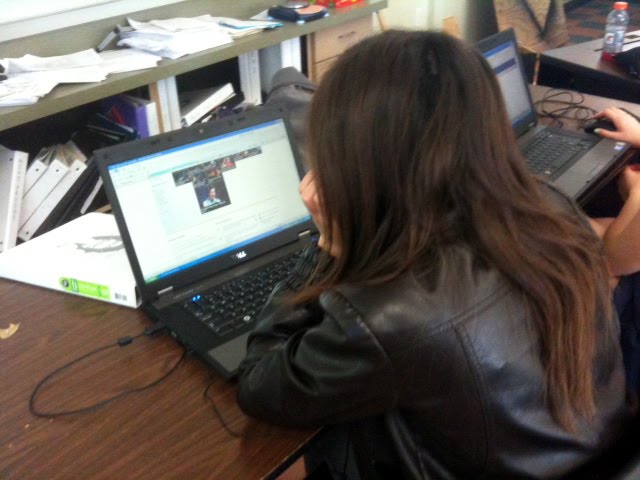
Challenge: Solve the "computer crunch" (not enough computer access for # of students enrolled in class).
Criteria:
-Each of our 27 students must have time to complete work on the computer.
-Some work will be on Inventor, our CAD software.
-Some work will involve MS Office style products.
-Some work will involve posting to your online portfolio (blog).
Constraints:
-25 Laptops
-1 Desktop
-Library Computers
-???
Step 1: Brainstorm Solutions
What are our rules for Brainstorming (this is an oxymoron, right?)?
Generate as many ideas as possible and post them to your blog.
To Be Continued...
Tuesday, March 8, 2011
TED pt I - Ideas worth Spreading?

Go to TED.com and spend some time investigating the site.
Once you've had a chance to familiarize yourself with the webpage, answer the following questions:
1) What is the TED organization about?
2) What is the purpose of their website and how does the functionality of their site support that?
3) As Engineers and Problem Solvers, which topic areas (the choices from the "Show talks related to:" section on the sidebar) are of most interest to us? Justify your answer.
4) Based on your previous answer, what are 3 talks (videos) on the site that appear like they would be of most interest to you as an Engineer/Problem Solver? Justify your choices.
5) Each student will watch a unique video. Claim your video on the following period specific posts: 2nd, 3rd, 4th, 5th. If no one else has claimed your video, leave a comment on that post to call the one you want. If someone else has already claimed the talk, go back and pick another one. Watch the video. Embed the video in your blog post and create a bulletized outline of the key issues presented in the talk.
6) How could you get involved in the field/technology/issue you chose to hear about? What experience/skills/training/education would you need to learn to get involved with this field?
Part II of the TED activity will have you negotiate within a group to select the "best" video to represent the group. The student with the chosen video will recieve extra credit. The group will then prepare a short presentation that summarizes the talk and will present to the class. The class will choose the best presentation and that group will recieve extra credit.
Sunday, March 6, 2011
Reverse Engineering: Functional Analysis - Essential Questions
Answer these questions in a post on your online portfolio (your class blog):
1. What is the purpose of reverse engineering?
2. What is the difference between a product’s visual and functional qualities?
1. What is the purpose of reverse engineering?
2. What is the difference between a product’s visual and functional qualities?
Reverse Engineering: Visual Design - Essential Questions
Answer these questions in a post on your online portfolio (class blog):
1. What is meant by the phrase The Language of Design?
2. What are visual design elements?
3. What are visual design principles?
4. What makes a designed object aesthetically pleasing or eye catching?
5. Why do people associate a design’s aesthetic value with its functional efficiency and structural resilience?
6. How does the gestalt principle explain the way in which the human mind perceives visual patterns?
7. What is graphic design and how is it different from product design?
8. What information can be gained from demographic research and why is it used in marketing?
9. Why must a graphic designer understand the demographics of the intended audience?
10. How are visual design principles and elements used to capture a consumer’s attention?
1. What is meant by the phrase The Language of Design?
2. What are visual design elements?
3. What are visual design principles?
4. What makes a designed object aesthetically pleasing or eye catching?
5. Why do people associate a design’s aesthetic value with its functional efficiency and structural resilience?
6. How does the gestalt principle explain the way in which the human mind perceives visual patterns?
7. What is graphic design and how is it different from product design?
8. What information can be gained from demographic research and why is it used in marketing?
9. Why must a graphic designer understand the demographics of the intended audience?
10. How are visual design principles and elements used to capture a consumer’s attention?
Wednesday, March 2, 2011
Reverse Engineering: Mechanicnal Product - Functional Analysis

Perform an analysis of the Mechanical Product you selected for your Reverse Engineering efforts. Use the following procedure:
1. What is the purpose or primary function of the object?
2. Make an educated guess as to how this product operates. Use simple machines’ terminology to explain the object’s sequential operation.
3. Identify the system inputs, intended product function, and outputs. Use power point to create a "black box" graphic like the toothbrush example discussed in class. Save the slide as a .jpg image and post it to answer this question.
4. What mechanical components are visible?
5. What is it about this device’s function that you cannot identify, because the mechanical components are hidden from plain view?
Thursday, February 24, 2011
Reverse Engineering: Mechanical Product - Visual Analysis

Perform an analysis of the Mechanical Product you selected for your Reverse Engineering efforts. Use the following procedure:
- Using a camera phone, digital camera or your laptop's webcam, take pictures of your product that correspond to a multi-view drawing (top, front, side).
- Post these images to your blog. Identify your product and title each object view.
- Perform a Product Analysis
- Visual Analysis
- Describe the visible design elements and principles in relation to the three images of the product.
- Functional Analysis
- What is the purpose of the product and how does the mechanical nature of the item support that?
- Analyze the target audience/demographics
- Draw a sketch of your chooseing (isometric, multi-view, etc.)
- Label the sketch with dimensions and other relevant information
- Post the sketch to your blog
Wednesday, February 23, 2011
Reverse Engineering: Mechanical Product


For class Thursday, bring in a mechanical product from home you'd like to use for our Reverse Engineering project. Since you're bringing it in to the classroom, make sure it's something that's relatively small/portable and not of high value!
Product must have a mechanical design:
1) Constructed of multiple parts.
2) At least one moveable piece.
3) May have electronics in it but must meet first two criteria.
Does this product meet the criteria?:

Sunday, February 20, 2011
Graphic Design: What's Going On In This Design?


Activity Overview:
You will work in teams of two to locate and evaluate different advertisements targeted at different audiences for the same or similar product type. Each partner will be responsible for analyzing one distinct add. Use the class periodicals library to find your advertisements.
Requirements:
-Post an image of the advertisement you've selected.
-Identify where your advertisement came from.
-Identify what it is that is being marketed.
-As a team, discuss each of the advertisements selected. Record both team members observations for the advertisement you've selected. Analyze the add using the following Message Analysis considerations:

If time permits, we will discuss evaluations and opinions with the class in a round table format.
Conclusion:
Answer the following questions at the end of your Graphic Design post (Copy and paste the questions into your post):
1. What are trends? Why is it important to identify them prior to graphic design?
2. How does human nature play a role in how a product is marketed to a specific demographic group?
3. How is a potential audience identified?
4. What must you discover about the target audience prior to graphic design?
Monday, February 14, 2011
Visual Design: Elements and Principles
The purpose of this activity is to have you identify the visual design elements that appear in commercial products, and the visual design principles by which they were arranged.

Questions:
1) What are the 6 Visual Design Elements we discussed in class?
2) What are the 5 Visual Design Principles we discussed in class?
3) Locate five items at home or at school that utilize the elements and principles of design. Post an image of each product. List and explain any visual design elements or principles that are evident in that product.
***Update***
I found a link to the Visual Design presentation online. If you need any clarification on what we discussed in class, please click HERE

Questions:
1) What are the 6 Visual Design Elements we discussed in class?
2) What are the 5 Visual Design Principles we discussed in class?
3) Locate five items at home or at school that utilize the elements and principles of design. Post an image of each product. List and explain any visual design elements or principles that are evident in that product.
***Update***
I found a link to the Visual Design presentation online. If you need any clarification on what we discussed in class, please click HERE
Subscribe to:
Posts (Atom)